
- 3d printing
- layer separation
- delamination
- weak layers
- filament moisture
3D Print Layer Separation: Find the Bonding Failure
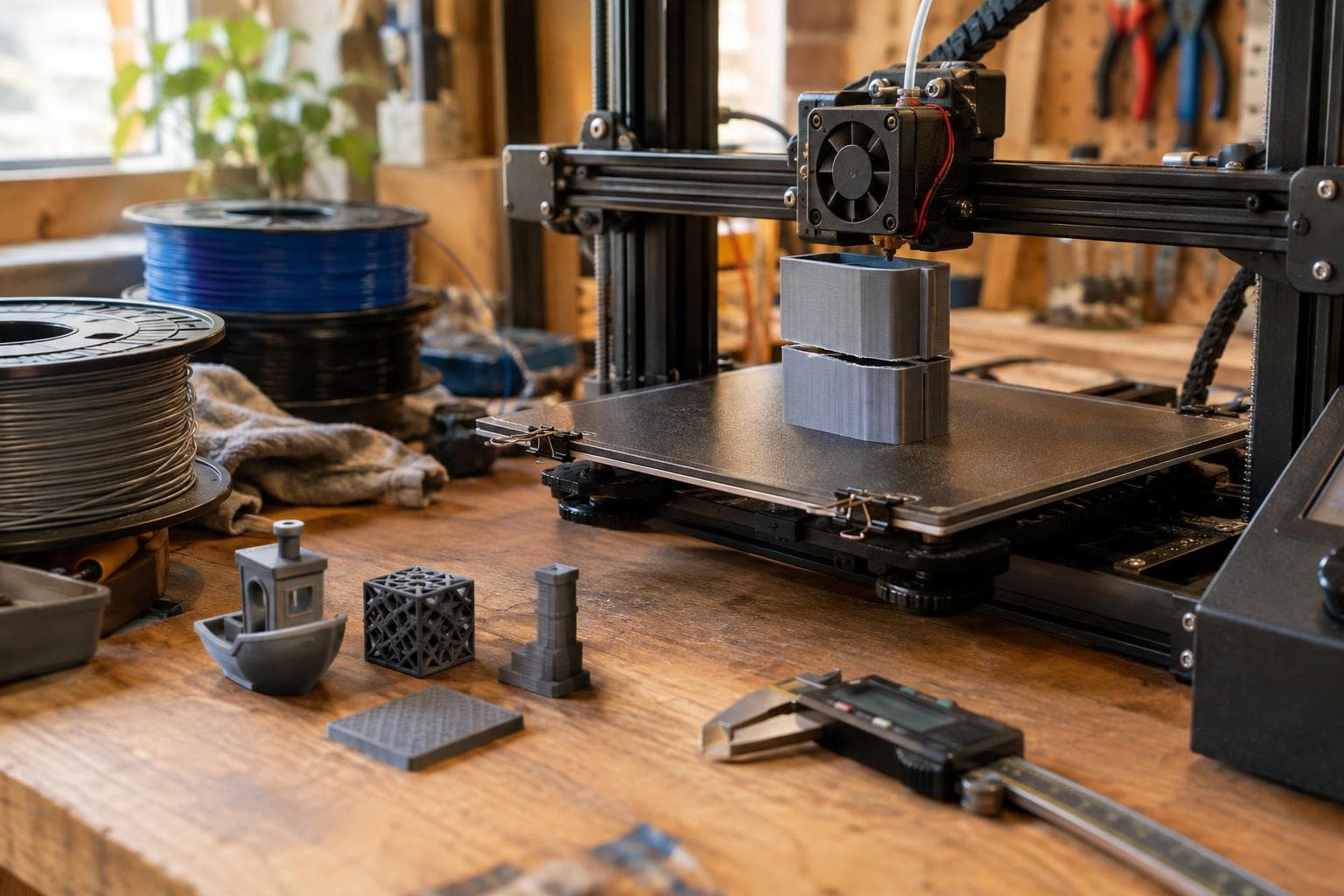
A part that splits along a layer line is showing a bonding failure, not a mysterious weakness in the model. The useful question is which input stopped the new extrusion from bonding to the previous one: temperature, cooling, moisture, or layer time.
Layers bond because the new extrusion re-melts the surface of the previous layer. Anything that cools that surface before the next line arrives can weaken the bond. Start with the changes that cost nothing and are easy to prove, then alter one input at a time.
Confirm the failure is between layers
Before changing slicer settings, inspect the break. A clean split that follows the layer path points toward layer separation. A break through the middle of a line, a crack around a sharp corner, or a part that failed only at the build plate may have a different cause.
Use a small test part with the same material, nozzle, layer height, and wall count as the failed print. A calibration tower or a short rectangular bar is more useful than repeating a large print. Keep a photograph of the fracture. If the test breaks in the same direction with a light hand load, the failure is repeatable enough to diagnose.
Also check for mechanical causes before touching temperature:
- A partly blocked nozzle can lay down narrow or inconsistent lines, reducing the actual contact area.
- Under-extrusion from a slipping drive gear, incorrect filament diameter, or excessive resistance in the filament path can create weak layers.
- A loose hot end or nozzle can produce inconsistent extrusion that looks like a thermal problem.
- A sharp internal corner and a load applied across the layer plane can expose normal FDM anisotropy rather than a setting error.
If the walls look visibly thin or irregular, fix extrusion first. Temperature tests do not compensate for missing plastic.
Nozzle temperature: test the bond before changing hardware
Temperature is the first setting to test because it directly controls how much the incoming filament can re-melt the previous surface. A nozzle temperature that is too low can produce a clean split between layers even when the exterior looks acceptable.
Do not copy a single temperature from a material chart and treat it as universal. The useful range depends on the filament blend, pigment, nozzle size, layer height, print speed, and the temperature measurement on that printer. A larger nozzle, faster print, or taller layer can require more heat because more material must be melted in less time.
Run a temperature tower using the same spool and the same speed used for the failed part. Compare layer bonding, corner shape, stringing, surface finish, and bridges. The best temperature is not automatically the highest one. Choose the lowest section that gives consistent extrusion and a strong layer bond without excessive sagging, blobs, or loss of detail.
The confirmation test is destructive: bend or break samples from each temperature section in the same direction. If the higher-temperature sections resist layer separation while the rest of the print remains controlled, temperature was a main cause. If the result barely changes, move to cooling and moisture rather than buying a hotter heater or a new nozzle.
Cooling: stop the fan from freezing the interface
Part cooling has a useful job: it preserves edges, bridges, overhangs, and small details. It can also cool the previous layer before the next extrusion arrives. Since bonding depends on re-melting that surface, excessive airflow can create weak layers, especially with materials that need a warm interlayer zone.
Test cooling without changing temperature. Print the same small bar at several fan settings, including the normal setting and a reduced setting that remains safe for the material and geometry. Keep the chamber and room conditions unchanged. If the reduced-fan sample has stronger layer bonding but loses bridge quality or develops soft corners, the setting is not a universal improvement. It is a trade-off between interlayer bonding and shape retention.
The fan is not the only cooling source. A draft from a door, window, enclosure gap, or nearby appliance can cool one side of a part. A part-cooling duct that points too directly at the wall can do the same. Watch for a split that appears consistently on the exposed side rather than around the entire part.
For PLA, cooling is often useful for shape control, so turning the fan off permanently is usually the wrong fix. For a material that needs a warmer interlayer zone, lower cooling or a controlled enclosure may be more useful. Test the actual print rather than assuming that more airflow means better layers.
| Cause | Temperature or airflow change | Layer-time interaction | Confirmation | Typical failure mode |
|---|---|---|---|---|
| Nozzle too cool | Raise temperature in small test steps | Fast layers leave less time for heat transfer | Temperature tower and destructive bend test | Clean split between layers, rough or under-melted surface |
| Cooling too strong | Reduce fan or remove direct drafts | Short layers may cool the interface before the next pass | Same part at two fan settings | Weak layers, often worse on the airflow-facing side |
| Filament moisture | Dry the spool using its material guidance | Long pauses can expose wet filament to air but do not remove absorbed moisture | Compare dry and untreated samples from the same spool | Popping, steam marks, gaps, rough extrusion, weak layers |
| Layer time poorly matched | Adjust minimum layer time, speed, fan, or model size | Very short gives no cooling; very long gives too much | Print a small and a larger test with recorded layer times | Heat-softened details on short layers or cold delamination on long layers |
Moisture: verify the filament, not just the settings
Wet filament can make a good temperature and cooling setup behave badly. Water in the filament turns to steam in the hot end. The visible signs can include popping, tiny surface pits, inconsistent extrusion, wispy texture, and gaps. Those gaps reduce the contact area between layers and can become a delamination print under load.
Moisture sensitivity varies by material. Some filaments show the problem quickly, while others can print acceptably for a long time before the effect is obvious. Storage in a sealed container with desiccant slows absorption but does not restore a spool that is already wet.
The cheapest confirmation is to print a small sample from the current spool, dry the spool according to the filament maker's temperature and time guidance, then print the same sample with identical settings. Do not change nozzle temperature or fan between the two tests. Listen for popping and compare the surface, extrusion consistency, and fracture.
Avoid guessing from the outside of the spool. A spool can feel dry to the touch and still contain enough absorbed moisture to affect the print.
Layer time: avoid both heat buildup and over-cooling
Layer time is often missed because it is not a single temperature or fan value. It is the time available for each layer to cool before the next layer starts. A very short layer time gives no cooling, so heat accumulates and the part can remain soft, deform, or lose dimensional control. A very long layer time gives too much cooling, so the previous surface may be too cold for the next extrusion to re-melt it properly. Both conditions cause problems.
This is why the smallest feature on a print can fail even when a large wall prints well. The slicer may slow down to meet a minimum layer time, or it may force a short layer time at high speed. The resulting temperature history can differ from the rest of the model.
Check the preview for per-layer time and speed. Then print two geometrically similar samples: one that gives short layers and one that gives longer layers. Keep the filament, temperature, and fan fixed. If the short sample shows softened corners, drooping, or a glossy heat-affected area, it needs more cooling time or less heat input. If the long sample splits more easily and has a dull, cold-looking surface, it needs less cooling between passes or a warmer process.
The correction may be changing the model rather than the printer. Adding a second small part to the build plate can give each layer more time without forcing one tiny feature to sit under the fan. For a single small part, reduce speed only if that does not create excessive cooling from the longer pause, and review the fan and minimum-layer-time rules together.
Lock in the fix with one controlled print
Once one input improves the bond, repeat the test with the failed geometry or a representative section. Change only one variable from the original profile and record the spool, nozzle, layer height, speed, fan setting, and observed layer time.
A practical order is:
- Check nozzle seating, extrusion consistency, and the fracture direction.
- Run a temperature tower at the original speed.
- Test reduced or redirected cooling without changing temperature.
- Dry the filament and repeat the same sample.
- Review layer time, then adjust minimum layer time, speed, fan, or the number of parts on the plate.
If none of these changes affects the break, inspect wall count, line width, infill connection, load direction, and model geometry. A part designed to carry a bending load across its layers may need a different orientation or more material, even with excellent bonding. A new nozzle or printer upgrade will not fix a load path that is wrong for FDM.
Is higher nozzle temperature always better for layer bonding?
No. Higher temperature can improve re-melting until the bond is strong enough, but excessive heat can cause sagging, strings, blobs, loss of detail, and deformation. Use a temperature tower and choose the lowest section that gives consistent extrusion and the required bond strength.
Can a dry box fix a delamination print?
Only if moisture is part of the cause. A dry box helps keep filament dry during printing, but an already wet spool may need drying first. Confirm the diagnosis by comparing identical samples from the untreated and dried spool.
Should layer time be short or long?
Neither is always correct. Very short layer time gives no cooling and can cause heat buildup, while very long layer time gives too much cooling and can weaken the next-layer bond. Match layer time to the material, geometry, fan, and nozzle temperature, then confirm with samples that reproduce the failure.
The Boss Factory builds made-to-order 3D printing and prototyping and design work; request a quote.
Related services
All services →
Have a project in mind?
Tell us what you want built — we reply within 24–48 hours.