
- time lapse trigger
- camera automation
- machine projects
- 3d printing
- cnc
- electronics
Time-Lapse Trigger Projects for Long Machine Jobs
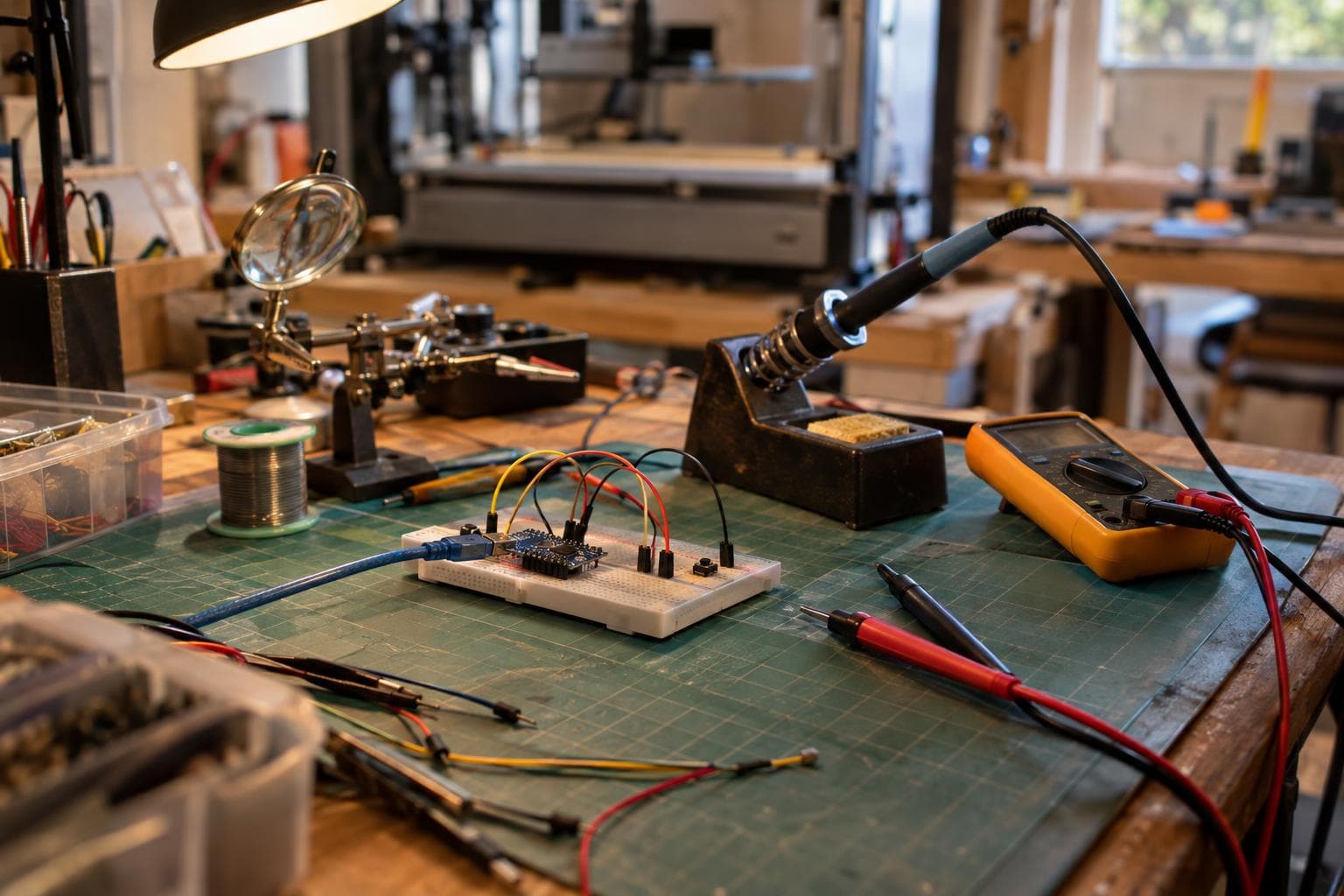
A long machine job is easy to record badly. A camera taking pictures every few seconds catches motion at different positions, while automatic exposure makes the brightness jump from frame to frame. The useful answer is camera automation tied to a repeatable machine event, with fixed exposure and controlled light.
Build the trigger around a repeatable machine position
A clock does not know where the tool, nozzle, gantry, or workpiece is. If a machine pauses, accelerates, or takes a different amount of time to complete a pass, a fixed interval captures unrelated positions. That produces the small jumps that make a time-lapse hard to watch.
Triggering at a repeatable machine position removes that jitter. The camera should fire after the machine reaches a known state, not merely after a guessed amount of time has passed.
There are three useful ways to create that event:
- A physical switch can detect a gantry, carriage, lever, or fixture reaching a known position.
- A controller output can signal a layer change, completed pass, or finished cycle.
- An infrared transmitter can imitate the camera's remote control when the camera has no accessible wired shutter input.
Keep the machine controller and camera electrically separate unless the camera manufacturer documents the remote input and its electrical limits. A camera shutter connection may be a simple contact closure, a powered remote circuit, or a proprietary interface. A microcontroller GPIO connected directly to it can damage the camera or behave unpredictably.
For a wired trigger, use an optocoupler or a small relay module whose contacts are rated for the camera input. An optocoupler is preferable when the camera accepts a dry contact and the circuit is laid out correctly, because it avoids a shared electrical reference. The camera-side circuit still needs to match the camera manual.
An infrared approach is less invasive. An IR LED, transistor driver, and camera-specific command sequence can reproduce the remote's shutter signal. It avoids a cable hanging near a moving machine, but the camera must support that IR command, and the LED needs a clear path to the receiver. Test from the final mounting position rather than from a workbench.
Four time-lapse trigger projects worth building
Each project below solves a different timing problem. The hard part is not making a light blink. It is defining exactly what the machine event means and preventing the camera from recording while the machine or workpiece is still moving.
1. CNC pass-complete camera trigger
Problem it solves: A CNC job can take minutes or hours, and a fixed interval records the cutter at inconsistent points along the toolpath. The result looks as if the work jumps backward or sideways between frames.
Main parts: A limit switch or proximity sensor, a rigid sensor bracket, a small microcontroller or timer circuit, an optically isolated camera output, a status LED, and a guarded camera mount. A sacrificial flag attached to the moving assembly can give the sensor a repeatable target without modifying the machine's control electronics.
Place the event near the end of a repeatable operation. For example, the camera can trigger when the gantry reaches a parked position between passes, or when a fixture-mounted flag reaches a sensor after a sub-operation. The machine should already be stopped or moving slowly enough that vibration has settled before the shutter command is sent.
The part harder than it looks: A switch position is not automatically a useful frame position. Mechanical bounce, belt stretch, flex in the bracket, and a target that approaches the switch from different directions can create multiple triggers or slightly different compositions. Debounce the input in hardware or software, and require the machine to leave the sensor before accepting another event. Test the image alignment across several cycles, not just the electrical transition.
I would choose a physical position sensor over a controller firmware modification for a first build. It is easier to observe, easier to replace, and less dependent on the particular CNC control software. The upgrade to a direct controller signal only fixes a problem if the controller already exposes a reliable event and the sensor cannot be mounted repeatably.
2. FDM layer-change camera trigger
Problem it solves: A 3D printer gives a natural sequence of events, but a camera interval does not stay aligned with layer changes when layer times vary. Small layers can take seconds; large layers can take much longer.
Main parts: A printer firmware macro or exposed layer-change signal, a microcontroller input or optocoupler, a camera trigger output, a delay setting, and a mount that keeps the nozzle, part, and build plate in the same composition. If the printer has no accessible signal, a non-contact optical sensor aimed at a known moving feature can provide a separate event.
The cleanest sequence is usually: finish the layer, park or move the nozzle to a repeatable location, wait for visible motion to stop, trigger the camera, then resume printing. The camera does not need to photograph every layer. Capturing every second or third layer may produce a more watchable result and reduce storage use, but the count must be deterministic.
The part harder than it looks: A layer-change signal can occur before the part has stopped moving. Retraction, travel, cooling-fan vibration, and the camera's own shutter delay all matter. Put the trigger after the park move if the firmware permits it, and add a fixed settling delay only after checking the actual image. A delay that is too short records a moving nozzle; one that is too long wastes time and may let a hot section sag before the next layer begins.
For this project, I would use the printer's documented macro or output before adding a sensor. The software route gives a cleaner layer count and does not require a bracket inside a warm enclosure. A sensor becomes the better choice when the printer firmware is closed, unreliable, or likely to change between machines.
3. Laser cutter cycle and door-safe trigger
Problem it solves: Laser jobs often contain repeated shapes or passes, but opening the enclosure or approaching a moving head to install a camera can create a safety problem. A frame also has little value if the camera records through smoke, glare, or a partially open lid.
Main parts: An isolated cycle-complete or head-position signal where the machine provides one, a camera mounted outside the working enclosure, a clear viewing window, an IR-cut-compatible or ordinary camera depending on the setup, and a trigger circuit that cannot bypass the machine's interlocks. If no safe machine signal is available, a mechanical flag outside the hazardous area can indicate the lid-closed cycle state.
The camera should observe the work through the enclosure window, not through an improvised opening. Trigger only after the head has parked in a known location and extraction has cleared enough smoke for the frame to be useful. The laser's own light can cause severe exposure changes, so the camera may need to photograph during a controlled pause rather than during the cut.
The part harder than it looks: The machine's cycle-complete signal may mean that motion has ended, not that the workpiece is visually ready. Smoke, air assist, exhaust lag, and a bright positioning beam can all change the image after the mechanical event. Define a safe pause state and verify that the trigger cannot start motion, defeat a lid interlock, or interfere with the machine's emergency stop chain.
This is the project where I would refuse to improvise a connection to the machine controller. If the signal is undocumented, use a separate visual or mechanical indication outside the safety circuit, or skip the automation. A time-lapse is not worth compromising an interlock.
4. Electronics test-rig result trigger
Problem it solves: A long electronics test may cycle a display, relay, motor, indicator, or sensor output at irregular intervals. A clock-based camera misses the meaningful state change or records an intermediate screen.
Main parts: The test fixture's existing pass or state signal, an optocoupler or isolated relay contact, a debounce circuit, a camera trigger interface, and a fixed mount for the board and display. A second indicator LED can show that the trigger circuit has received the event without placing a load on the device under test.
Use the event that defines a valid result, not the event that starts the test. For a display, that may be a stable data-ready signal. For a motor, it may be a limit reached and current settled. For a relay sequence, it may be the final contact state after the coil has been de-energized. The camera should record after the result is stable and before the fixture resets.
The part harder than it looks: Electrical state and visible state are not always simultaneous. A display may need time to refresh, a relay may bounce, and a motor may continue moving after a controller output changes. Debounce the source and add a settling interval based on observation. If the test signal is noisy, measure it with an oscilloscope or logic analyzer before choosing the trigger edge.
This project is often not worth building if the test already produces a timestamped log or screen capture. The camera earns its place when the physical arrangement, indicator behavior, or mechanical motion is part of the evidence. Otherwise, recording the electrical data is cleaner and easier to search.
Lighting and exposure decide whether the result is watchable
A precisely timed trigger cannot repair inconsistent lighting. Automatic exposure changing between frames produces flicker, so manual exposure is standard for time-lapse work. Set shutter speed, aperture, ISO, white balance, and focus manually where the camera allows it. Lock exposure before the long job begins.
The light should remain fixed in both position and output. Daylight through a window changes during a job. A machine's work light may pulse with a dimmer or change when a door opens. Some LED lamps flicker because their driver uses pulse-width modulation, even when the camera preview looks steady.
Use a light source with a constant-output mode, then test it at the shutter speed you plan to use. If horizontal bands or brightness changes appear, change the shutter speed or use a different light source. Do not solve a light-flicker problem by allowing the camera to adjust exposure; that trades visible bands for frame-to-frame brightness changes.
Useful setup checks include:
- Photograph the empty machine area for several minutes and compare the frames for brightness drift.
- Mark the camera mount and light positions so they can be restored after maintenance.
- Keep the background away from the camera's auto white-balance logic by locking white balance.
- Use the same focus distance for every frame; autofocus can refocus on the tool, chips, smoke, or a newly printed layer.
- Check highlights on pale wood, glossy plastic, and reflective fixtures before the job starts.
- Leave enough storage and battery capacity for the full run, including test frames.
For enclosed machines, add a window hood or light shield if reflections are stronger than the scene. A matte background often improves consistency more than a brighter lamp. Brightness is not the target; repeatable brightness is.
Compare the projects by failure mode
| Project | Trigger source | Camera connection | Main tolerance problem | Most likely failure mode |
|---|---|---|---|---|
| CNC pass | Physical park position or documented pass event | Optically isolated dry contact | Sensor and target alignment | Duplicate frames from switch bounce |
| FDM layer change | Firmware macro or layer signal | Isolated input and shutter output | Nozzle and part settling time | Frame captures travel or vibration |
| Laser cycle | Safe parked state or external cycle indicator | Isolated signal outside safety circuit | Smoke and enclosure reflections | Unsafe or visually unusable trigger state |
| Electronics test | Stable result or data-ready signal | Optocoupler or relay contact | Electrical-to-visible delay | Photograph taken before the result settles |
The table's tolerance column is the decision point. A CNC sensor needs mechanical repeatability. A printer trigger needs timing after motion. A laser setup needs safety and optical clarity. An electronics fixture needs a defined stable result. Treating all four as the same camera automation problem leads to the wrong trigger.
Build and test the trigger before the machine job
Start with an LED that represents the camera command. Run the machine or test fixture through at least several complete event cycles and confirm that the LED turns on once per intended frame. Then connect the camera through the isolation stage and photograph a static target.
Check four things separately:
- The event occurs at the intended machine position.
- The camera receives one command, not a burst caused by bounce.
- The image is taken after motion and vibration settle.
- The next event is ignored until the machine has left and re-entered the trigger state.
Keep a manual test button in the circuit. It makes camera alignment, shutter timing, and lighting tests much faster than running the whole machine. Add a trigger counter or timestamp to the controller log if the project has enough complexity to justify it. When the finished video has a bad frame, the log can tell you whether the camera missed the event or the machine never generated it.
For a first version, build around the event you can observe and validate. A simple switch and isolated contact are often better than a deeply integrated firmware hook with unclear timing. Once the sequence works, integration can remove brackets and cables. It should not be used to hide an undefined machine state.
Frequently asked questions
Can a time-lapse camera trigger from a 3D printer's layer change?
Yes, if the printer exposes a dependable layer-change macro or signal. Trigger after any park move and settling delay, not at the instant the layer counter changes. If the firmware cannot provide a stable event, use a separate sensor aimed at a repeatable moving feature.
Is an IR trigger better than a wired shutter connection?
IR is better when the camera has no accessible wired input or a cable would interfere with the machine. A wired isolated contact is usually more predictable because it does not depend on line of sight, reflected signals, or the camera's IR receiver. Use the camera's documented remote protocol in either case.
Why does my time-lapse flicker even though the trigger timing is correct?
The camera is probably changing exposure, white balance, or focus, or the lighting output is pulsing. Lock exposure manually, lock white balance and focus, and test the light at the chosen shutter speed. Trigger timing fixes positional jitter; it does not fix changing illumination.
The Boss Factory builds this kind of camera automation to order through Custom Electronics & Smart Systems.
Related services
All services →
Have a project in mind?
Tell us what you want built — we reply within 24–48 hours.