
- 3d printing
- extruder maintenance
- dual drive extruder
- filament grip
- hardened gears
Dual Drive Extruder: A Gear and Grip Maintenance Routine
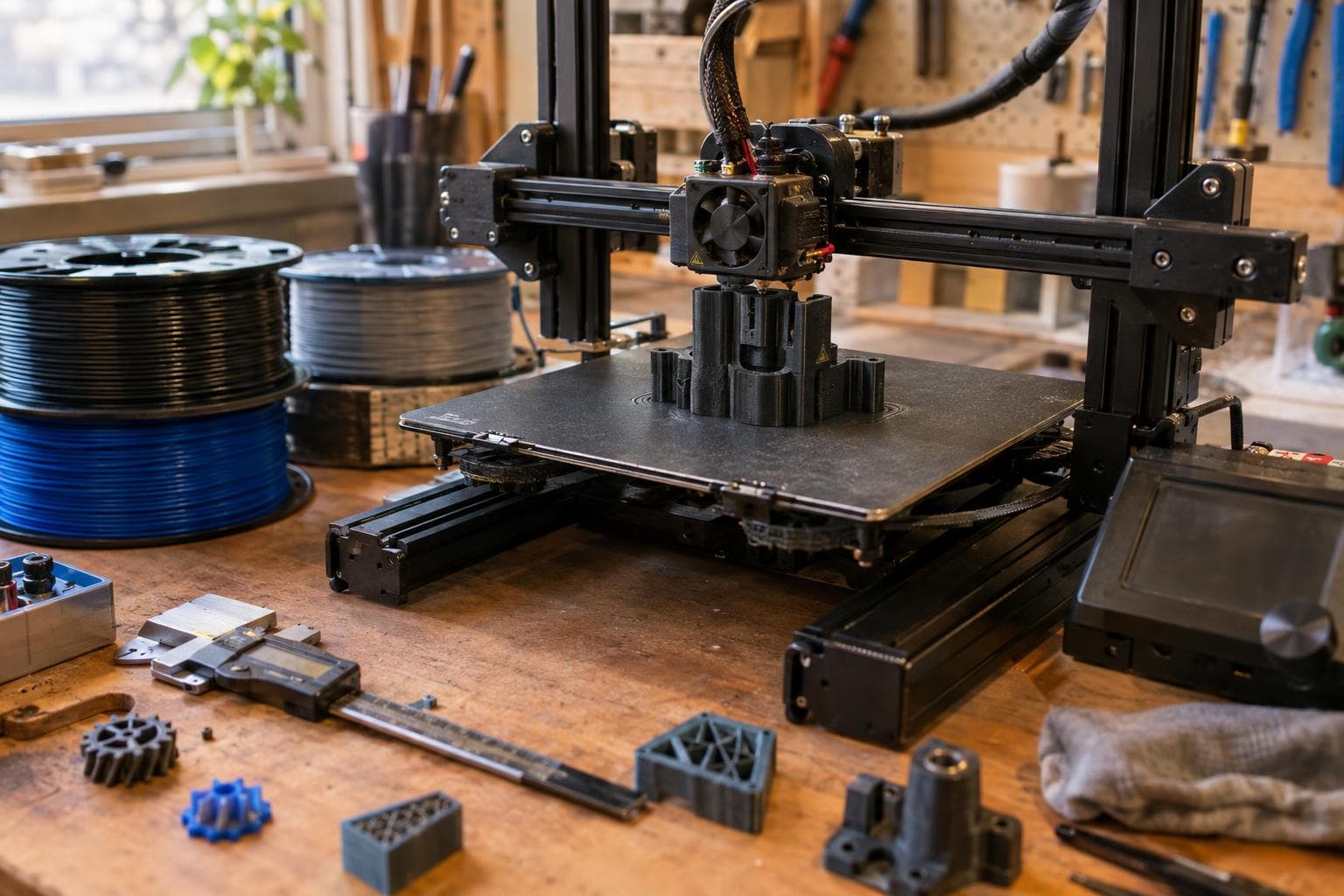
A slipping extruder rarely announces itself as a mechanical fault. It looks like a partial clog, a bad temperature setting, or a slicer problem. The honest short answer is to inspect the filament path and the gear teeth before changing print settings: grip is a maintenance issue before it is a calibration issue.
What the extruder gear actually controls
The hobbed extruder gear transfers motor torque into the filament. Its teeth must bite deeply enough to push filament, but not so deeply that they crush it or fill the tooth valleys with shavings. Idler tension, filament hardness, gear condition, and alignment all affect that balance.
A single-drive extruder presses the filament against one driven gear and a smooth or bearing-supported idler. It is mechanically simple and often adequate for PLA, PETG, and occasional TPU when the filament path is well supported. A dual drive extruder uses driven gears on both sides of the filament. Those gears spread the load and reduce deformation, which matters most with long retractions, flexible filament, or high back pressure.
Dual drive does not create grip from nothing. If the gears are dirty, poorly aligned, or worn, two damaged contact surfaces can make a fault harder to spot. For a basic machine that prints ordinary filament at moderate speeds, the cheap single-drive arrangement is often good enough. An upgrade to dual drive fixes a problem you may not have.
The maintenance routine by interval
Use print hours as a guide rather than treating any interval as universal. Dusty machines, abrasive filament, and high retraction loads shorten the interval. A useful starting routine is:
- Before each spool or material change: check that the filament path is clear, the idler turns freely, and the filament enters the gear without rubbing one side of the guide.
- Every 100 to 200 print hours: brush filament dust from the gear teeth, inspect the teeth under good light, and check the gear's set screw or clamp.
- After abrasive or fiber-filled filament: inspect the gear immediately and again after the next short test print.
- Whenever under-extrusion appears in patches: mark the filament with a pen near the entry point, run a controlled extrusion, and watch whether the mark pauses or shows repeated tooth damage.
- After changing the extruder or drive gearing: verify extruder steps or rotation distance, then run a measured extrusion test.
For cleaning, remove loose debris with a stiff brush or a pick used carefully around the teeth. Do not pack grease into the hobbed surface. Lubrication belongs on specified bearings or gears designed to mesh internally, not on the contact surface that must bite filament. Keep the motor and heater wiring clear of the cleaning tool.
Check the idler bearing for roughness and side play. A bearing that turns but tilts under load can make one side of the filament wear faster. Check the filament guide as well: a polished groove or sharp edge changes the entry angle and forces the gear to compensate for a problem it cannot solve.
Gear ratio, torque, and feed speed
A geared extruder places a reduction between the motor and the hobbed gear. A 3:1 ratio means the motor turns about three revolutions for one revolution of the drive gear, before losses. The result is more available torque at the filament gear and finer mechanical motion per motor step, but the motor must turn faster to achieve the same filament feed rate.
Gear ratio does not directly increase tooth grip. It helps the gear maintain force against extrusion pressure. Grip still depends on tooth shape, contact pressure, filament condition, and support through the drive path.
A reduction gear can be useful for:
- long filament paths or high nozzle back pressure
- flexible filament that buckles in a poorly supported path
- a small motor operating near its torque limit
- controlled low-flow work where fine feed resolution helps
It is not a cure for a clogged nozzle, excessive idler tension, a loose drive gear, or a worn hob. Before buying a geared extruder, watch the filament during a controlled extrusion and inspect the tooth marks. If the motor is not skipping and the gear is not slipping, more reduction may add bulk and another set of parts without improving the print.
Single drive, dual drive, and hardened gears
The practical choice depends more on filament and failure mode than on the number of gears.
| Arrangement | Load and deformation | Abrasive-filament behaviour | Typical failure mode | Maintenance consequence |
|---|---|---|---|---|
| Single drive | One tooth surface carries the drive load; soft filament can flatten against the idler | Standard gears lose their edge as abrasive filler wears the teeth | Slip under back pressure or chewed filament | Simple cleaning and alignment; lower part count |
| Dual drive | Filament is gripped from both sides, spreading load and reducing deformation | More contact surfaces, but both driven teeth still wear | Uneven wear, misalignment, or gradual loss of bite | Inspect both gears and keep timing and alignment correct |
| Hardened drive gears | Tooth shape stays usable longer under abrasive contact | Better resistance to glass, carbon, wood, and mineral-filled filament; exact life still depends on filler and use | Wear eventually appears as intermittent under-extrusion | Inspect rather than assuming hardened means wear-proof |
Filled filament is where hardened gears earn their place. Glass fiber, carbon fiber, mineral, and wood-filled materials can abrade ordinary gear teeth. Gear teeth wear gradually, so the result reads as intermittent under-extrusion: the print may be correct for several layers, then lose width during a high-pressure section, then recover when the load drops.
Hardened gears reduce that wear; they do not prevent nozzle abrasion, dust buildup, or a damaged filament path. If filled material is occasional, a standard gear can be a reasonable cheap solution when inspected and replaced as needed. If it is regular, hardened gears are the sensible baseline. Dual drive is a separate decision: choose it for deformation, flexible filament, or feed-load problems, not as a substitute for hardened teeth.
Separate real maintenance from forum folklore
Redoing extrusion calibration after every cleaning is usually unnecessary. Cleaning does not change the gear diameter or configured steps. Recalibrate after changing the drive geometry, replacing a gear with a different effective diameter, or finding that a measured extrusion test has changed.
More idler tension is not automatically more grip. Excess tension can flatten filament, increase bearing load, and make soft materials harder to feed. Set tension far enough to prevent slip during a controlled extrusion, then stop. The test should use the actual filament and temperature used for printing.
A hardened gear is not mandatory for ordinary unfilled PLA. Buying one before printing abrasive material is an upgrade for a future problem, not maintenance for the current machine. Likewise, a dual drive extruder is not automatically more accurate. Its advantage appears when the filament needs distributed contact or the existing single-drive path deforms it.
The useful test is a short extrusion with the nozzle at normal printing temperature. Measure commanded and actual filament movement, watch for motor skipping, and inspect the filament afterward. Tooth gouges point toward grip or tension; smooth, unmarked filament with poor output points elsewhere.
Frequently asked questions
How often should an extruder gear be replaced?
Replace it when the tooth tips look rounded, the valleys no longer clear themselves, or measured extrusion becomes inconsistent after cleaning and alignment checks. Abrasive filament shortens the interval, so inspection is more reliable than a fixed replacement date.
Is a dual drive extruder better for TPU?
Usually, if the filament path is short and well supported, a single drive can feed TPU correctly. Dual drive is the better choice when TPU buckles, flattens, or slips under retraction and back pressure. It will not fix a long unsupported gap between the gear and the heatbreak.
Do hardened gears improve normal PLA prints?
Not by themselves. Hardened gears mainly resist wear from abrasive fillers. For ordinary PLA, clean standard gears with correct tension are often sufficient; the more useful upgrade may be correcting alignment or replacing a worn idler bearing.
The Boss Factory builds 3D printing and prototyping work to order through the quote form.
Related services
All services →
Have a project in mind?
Tell us what you want built — we reply within 24–48 hours.