
- 3d printing
- printed standoff
- boss design
- self tapping screws
- failure analysis
Printed Standoff Boss Design: Stop Screw Splits
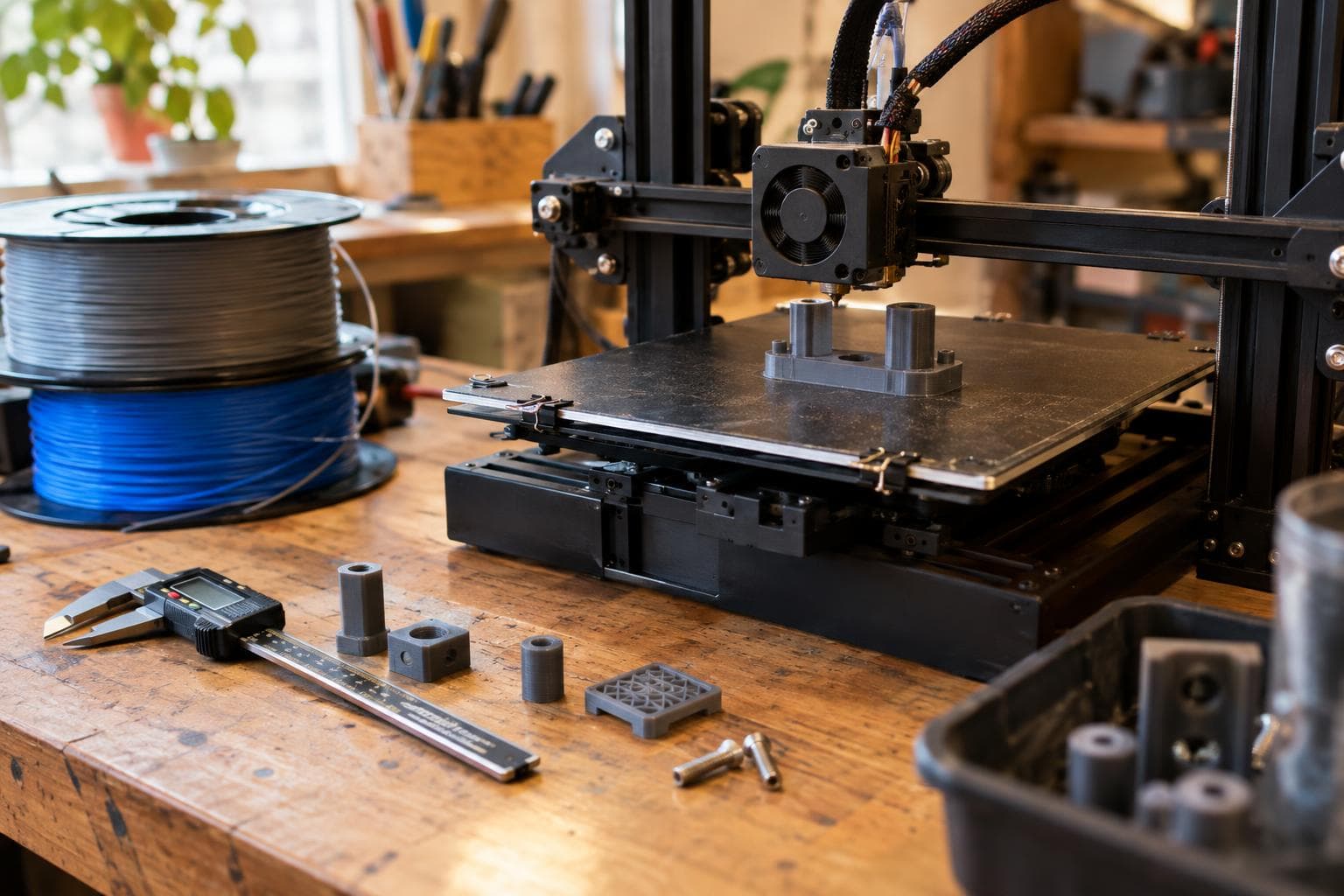
A printed standoff usually fails at assembly, not during printing. The screw feels tight, the enclosure closes, and a crack appears beside the boss or along a layer line later. The short answer is to stop treating the pilot hole as the whole design: a self-tapping screw needs a correctly sized pilot and enough surrounding wall to absorb the material it displaces.
Why a self-tapping screw splits a printed boss
A thread-forming self-tapping screw displaces plastic to make its thread rather than removing a clean spiral of material. That displaced material has to move somewhere. In a solid injection-moulded boss, the surrounding material can carry the hoop stress. In a printed boss, the available material is often a thin ring made from stacked roads with weaker bonding between layers.
The screw creates radial pressure as it advances. The boss responds like a ring being forced outward from the inside. If the radial wall is too thin, the stress concentrates at the pilot opening. If the screw is driven across the layer direction, the crack can follow a layer line because that is the easiest path through the part.
A printed standoff also sees bending when a cover is pushed sideways, pulling the boss away from its base. That load is different from screw expansion, but both loads meet at the same small root. A sharp transition from the vertical boss to the floor adds a stress riser. A short fillet or a triangular gusset spreads the bending load into the base instead of leaving it concentrated at a right-angle corner.
Boss diameter and wall thickness
The useful dimension is radial wall thickness, not just the outside diameter. If the pilot diameter is p and the boss outside diameter is d, the approximate radial wall is:
wall = (d - p) / 2
That wall must contain the displaced material and carry the clamp load.
A practical starting rule is to choose the outside diameter from the pilot and the required radial wall, rather than picking an outside diameter first and hoping the hole fits. For a lightly loaded cover, two or three continuous perimeter lines around the pilot may be sufficient when the resulting wall is not carrying bending. For a structural mount, that same perimeter count may be inadequate because the boss needs a wider load path and a stronger base connection.
Do not count infill as a substitute for boss wall. Infill can support the outer shell, but it does not give the screw a continuous ring of material. Put the important material where the stress is: around the pilot and at the boss root. Increase the boss outside diameter, add a fillet, or add gussets before increasing infill percentage.
Pilot sizing for self tapping screw plastic joints
Do not size the pilot from the screw’s nominal diameter. The nominal diameter describes the thread crests, not the hole needed for a particular plastic and screw geometry. A pilot equal to the nominal diameter removes the interference that forms the thread. A pilot that is too small leaves too much plastic to displace and raises the splitting risk.
Use the screw manufacturer’s pilot chart when one is available. The correct value depends on thread pitch, flank angle, tip shape, screw material, plastic stiffness, and whether the screw is intended to form or cut its thread. The same diameter screw can need a different pilot in a flexible material than in a stiff one.
For an unknown screw, measure the minor diameter and treat it as a reference, not a final answer. Make a short test strip with several pilot sizes, keeping the boss outside diameter and print orientation constant. Change the pilot in small increments appropriate to the screw size and your printer’s dimensional accuracy. Drive each screw to the same depth and inspect both the torque and the boss.
The useful result is not the pilot that accepts the screw with the least effort. It is the smallest pilot that forms reliable threads without whitening, bulging, audible cracking, or a sudden torque spike. A pilot that feels perfect on the first assembly can still be wrong if the plastic has been heated by a slow driver or if the screw bottoms out before the parts clamp.
Control the assembly process as well:
- Keep the screw axis aligned with the boss. An angled screw adds a wedge force to one side of the pilot.
- Use a driver with a clutch or a repeatable torque setting rather than relying on wrist force.
- Leave thread engagement long enough to develop clamp load, but do not let the screw tip bottom against the closed end of the boss.
- Add a lead-in chamfer if the screw tip catches the first perimeter at the opening.
- Print a test coupon in the same orientation, layer height, material, and cooling conditions as the part.
The test coupon matters because a slicer can change perimeter placement around a hole. A nominally identical pilot may print differently near a seam, thin wall, bridge, or low-layer-time region.
Material, heat, and service loads
A boss that survives assembly can still fail in service. Clamp load relaxes as plastic creeps, especially when the part stays warm. PLA has a relatively low glass-transition range compared with many engineering plastics, while PETG, ASA, nylon, and other materials have different softening and moisture behaviour by grade. Use the filament manufacturer’s data for the actual material, not a generic value copied from another brand.
Temperature changes also move the joint. The screw and printed plastic expand at different rates, and repeated heating can reduce clamp load or increase stress around the pilot. A part near a motor, lamp, enclosure, or sun-warmed surface needs more margin than a room-temperature bracket.
Moisture changes matter most for hygroscopic filaments such as nylon. Moisture can affect dimensions, layer bonding, stiffness, and the way a screw forms its thread. Store and dry that material according to its data sheet before judging a pilot test.
Vibration creates a second failure path. If the joint loses clamp load, the cover can move against the screw and load the boss sideways on every cycle. A washer, a wider clamping face, a captive nut, or a separate through-bolt can be a better answer than adding more screw torque.
| Design condition | Hoop stress during driving | Clamp strength | Heat and cycle behaviour | Likely failure mode |
|---|---|---|---|---|
| Pilot too small, thin wall | High | Initially high, then unreliable | Poor margin as plastic softens | Boss splits along a perimeter or layer line |
| Correct pilot, adequate wall | Controlled | Good for light to moderate loads | Depends on material and temperature | Creep or pull-out if the joint is overloaded |
| Pilot too large, adequate wall | Low | Low thread engagement | Clamp load relaxes quickly | Screw strips or pulls out |
| Heat-set insert in a suitable boss | Low during screw installation | Good for repeated service | Insert and plastic expand differently | Insert spins, pulls out, or cracks the boss if the wall is thin |
| Through-bolt with washer | Minimal radial forming load | High and adjustable | Usually better under repeated removal | Boss bends or washer crushes the printed surface |
The through-bolt is often the best answer for a highly loaded printed standoff, but it is not a free upgrade. It needs access to the back of the joint and room for a washer or nut. For a small electronics cover opened twice a year, a correctly sized pilot in a wider boss is usually the better trade.
A repair and redesign sequence
When a boss has cracked, replacing the screw alone rarely addresses the load path. Check the failure in this order:
1. Find the first crack
A crack at the pilot points toward screw expansion. A crack at the boss root points toward bending. A crack at a perimeter seam suggests print orientation, extrusion width, cooling, or a thin shell. The visible end of the crack is not always where it started.
2. Check the pilot and engagement
Measure the printed pilot, then compare it with the screw chart or a controlled coupon. Check that the screw does not bottom out. A bottomed screw can create high torque without producing useful clamp load.
3. Widen the load path
Increase the boss outside diameter, add a root fillet, and connect the boss to nearby walls or ribs where possible. Keep a continuous printed shell around the pilot. Do not rely on a decorative cylinder floating on a thin floor.
4. Change the joint if the load demands it
Use a through-bolt when the joint sees repeated side load, high clamp force, or frequent removal. Use an insert only when the boss has enough material to hold it during installation and service. For a light cover, the wider printed boss and correct pilot remain the economical choice.
Frequently asked questions
How thick should a printed boss wall be?
There is no universal wall thickness because screw size, material, print line width, load, and temperature all change the answer. Start with a continuous ring of several perimeter lines and enough radial material that the boss is not just a thin shell around the pilot. Validate it with the actual screw and material. If the boss carries bending, increase the diameter and reinforce the root rather than relying on a thicker top ring.
Should the pilot hole match the screw’s minor diameter?
Not automatically. A thread-forming self-tapping screw needs controlled interference, so the pilot is selected from the screw maker’s chart for the target plastic. The minor diameter is a useful measurement for comparison, but it does not account for thread form or material stiffness. A coupon with several pilot sizes gives a better result than copying a nominal rule.
Why did the boss crack even though the screw was not overtightened?
The pilot may still have been too small, the wall too thin, or the screw may have bottomed in the boss. A layer line, seam, low-temperature material, absorbed moisture, or repeated heat can reduce the available margin. Inspect the crack direction and test the pilot in the same print orientation before changing driver torque alone.
The Boss Factory builds custom printed standoffs and enclosures to order through 3D printing and prototyping.
Related services
All services →
Have a project in mind?
Tell us what you want built — we reply within 24–48 hours.